---
metadata:
  - name: generator
    content: Diplodoc Platform v5.63.0
alternate:
  - en/operations/connection/add-description
  - ru/operations/connection/add-description
  - href: en/operations/connection/add-description.md
    type: text/markdown
    title: Markdown version
csp:
  - script-src:
      - https://mc.yandex.ru
    img-src:
      - https://mc.yandex.ru
    connect-src:
      - https://mc.yandex.ru
      - wss://mc.yandex.ru
    child-src:
      - 'blob:'
      - https://mc.yandex.ru
    frame-src:
      - 'blob:'
      - https://mc.yandex.ru
    frame-ancestors:
      - 'blob:'
      - https://mc.yandex.ru
canonical: en/operations/connection/add-description.html
title: How to add connection info in DataLens On-premises
description: Follow this guide to add connection info in DataLens On-premises.
vcsPath: en/operations/connection/add-description.md
---

# Adding connection info in DataLens On-premises

To add connection details, do the following:

1. Open the connection to add details for.
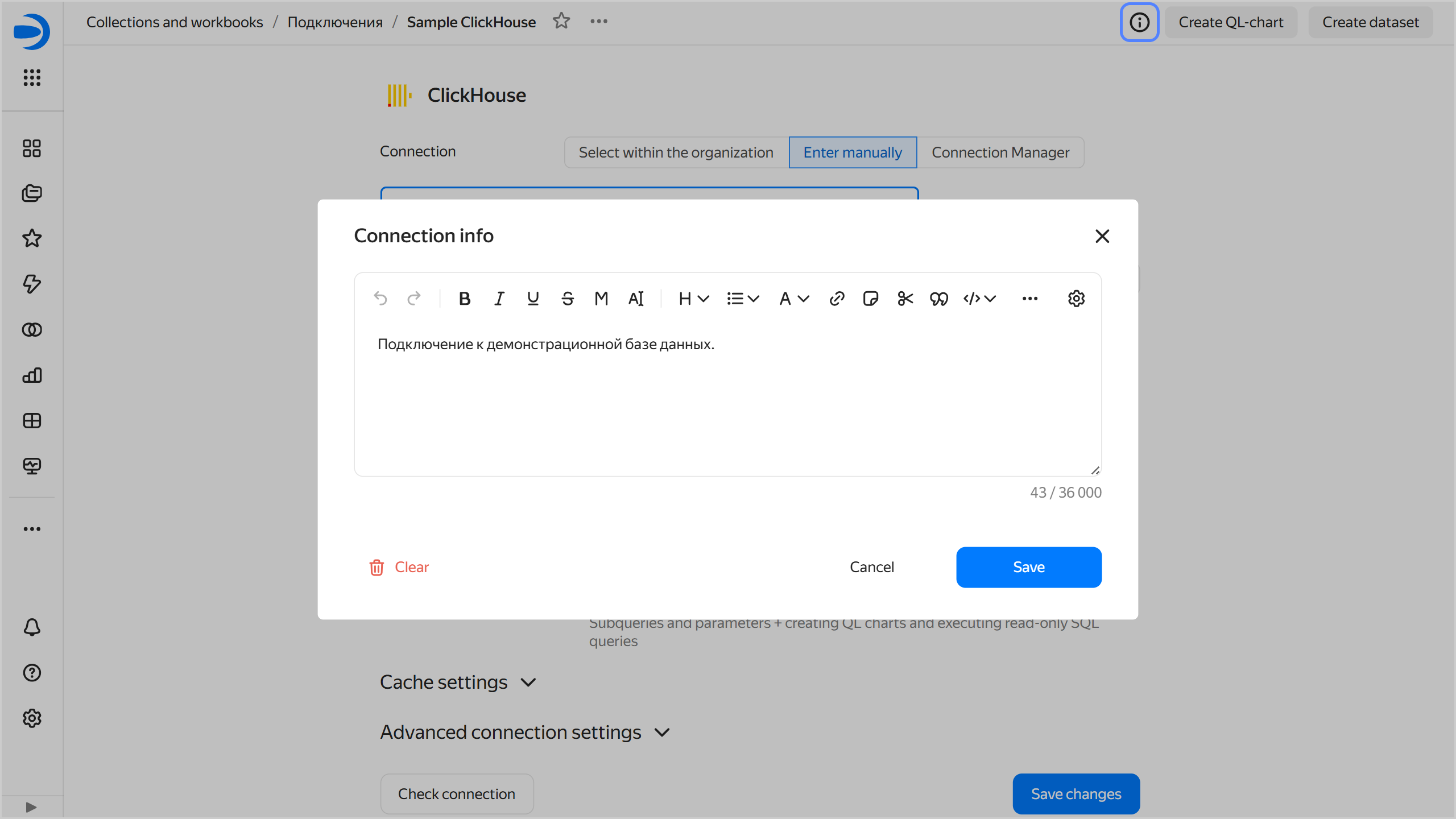
1. Click <!-- diplodoc:svg ![image](../../_assets/console-icons/circle-info.svg) --><svg xmlns="http://www.w3.org/2000/svg" width="16" height="16" fill="none" viewBox="0 0 16 16"><path fill="currentColor" fill-rule="evenodd" d="M8 13.5a5.5 5.5 0 1 0 0-11 5.5 5.5 0 0 0 0 11M8 15A7 7 0 1 0 8 1a7 7 0 0 0 0 14m1-9.5a1 1 0 1 1-2 0 1 1 0 0 1 2 0m-.25 3a.75.75 0 0 0-1.5 0V11a.75.75 0 0 0 1.5 0z" clip-rule="evenodd"/></svg> at the top of the screen.
1. Enter the information and click **Save**.

   {% cut "Adding connection info" %}
   ![add-description](../../_assets/datalens/connection/connection-add-description.png)

   {% endcut %}

1. Click **Save changes** at the bottom.

Now all users will see the <!-- diplodoc:svg ![image](../../_assets/console-icons/circle-info.svg) --><svg xmlns="http://www.w3.org/2000/svg" width="16" height="16" fill="none" viewBox="0 0 16 16"><path fill="currentColor" fill-rule="evenodd" d="M8 13.5a5.5 5.5 0 1 0 0-11 5.5 5.5 0 0 0 0 11M8 15A7 7 0 1 0 8 1a7 7 0 0 0 0 14m1-9.5a1 1 0 1 1-2 0 1 1 0 0 1 2 0m-.25 3a.75.75 0 0 0-1.5 0V11a.75.75 0 0 0 1.5 0z" clip-rule="evenodd"/></svg> icon in the top-right corner of the connection. Clicking it will open the **Connection info** window with the information.

To remove connection info, save an empty field in the **Connection info** window. Users will no longer see the <!-- diplodoc:svg ![image](../../_assets/console-icons/circle-info.svg) --><svg xmlns="http://www.w3.org/2000/svg" width="16" height="16" fill="none" viewBox="0 0 16 16"><path fill="currentColor" fill-rule="evenodd" d="M8 13.5a5.5 5.5 0 1 0 0-11 5.5 5.5 0 0 0 0 11M8 15A7 7 0 1 0 8 1a7 7 0 0 0 0 14m1-9.5a1 1 0 1 1-2 0 1 1 0 0 1 2 0m-.25 3a.75.75 0 0 0-1.5 0V11a.75.75 0 0 0 1.5 0z" clip-rule="evenodd"/></svg> icon.
