---
metadata:
- name: generator
content: Diplodoc Platform v5.63.0
alternate:
- en/workbooks-collections/
- ru/workbooks-collections/
- href: en/workbooks-collections/index.md
type: text/markdown
title: Markdown version
csp:
- script-src:
- https://mc.yandex.ru
img-src:
- https://mc.yandex.ru
connect-src:
- https://mc.yandex.ru
- wss://mc.yandex.ru
child-src:
- 'blob:'
- https://mc.yandex.ru
frame-src:
- 'blob:'
- https://mc.yandex.ru
frame-ancestors:
- 'blob:'
- https://mc.yandex.ru
canonical: en/workbooks-collections/index.html
title: DataLens On-premises workbooks and collections
description: >-
In this tutorial, you will learn about DataLens On-premises workbooks and
collections, their features, and how to start using them.
vcsPath: en/workbooks-collections/index.md
---
# DataLens On-premises workbooks and collections
DataLens entities are stored in special containers:
* A **workbook** stores [connections](../concepts/connection/index.md), [datasets](../dataset/index.md), [charts](../concepts/chart/index.md), [dashboards](../concepts/dashboard.md), and [reports](../reports/index.md). Entities within a workbook may only refer to each other.
* A **collection** is a container used for grouping workbooks and other collections.
More on how to work with a [workbook](./workbooks-operations.md) or [collection](./collections-operations.md).
## Viewing linked objects {#related-objects}
You can look up where the object is used or which objects are used by it. Do it by clicking → **Linked objects** on the workbook page or object editing window. For example, this can give you a clue as to the sources used to build a dashboard or the charts based on a certain dataset.
{% cut "Linked object window" %}
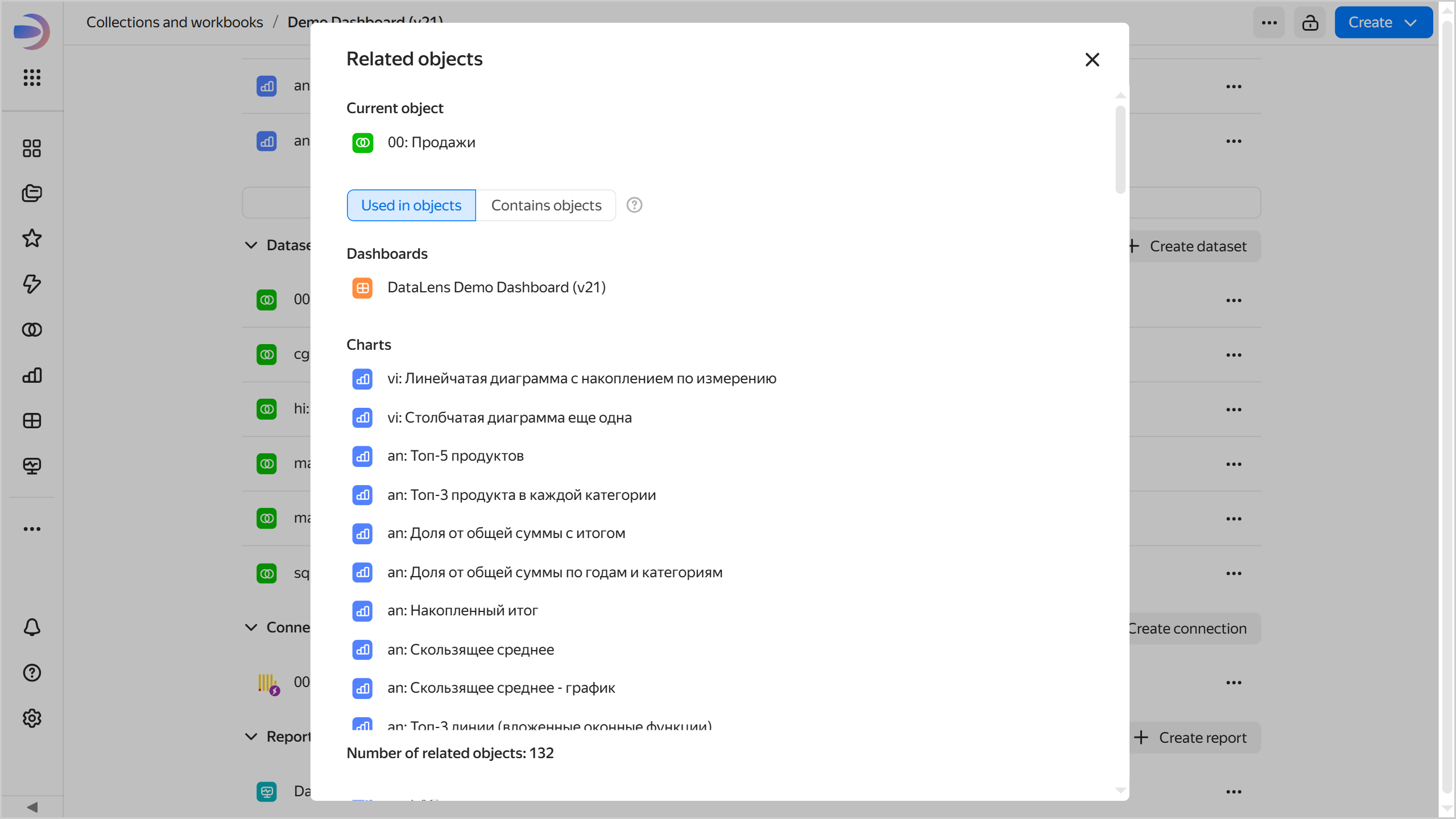
{% endcut %}
If you get an error when opening the linked object window, click **Retry**.